GPS Dozor 4.0
Native fleet management and electronic trip log apps

Overview
As an independent developer for GPS Dozor, I built the entire mobile app for its main product on iOS and Android. From the native interface to integration with the backend, which a colleague developed.
Scope
- The entire mobile app from start to finish
- Native iOS and Android interfaces
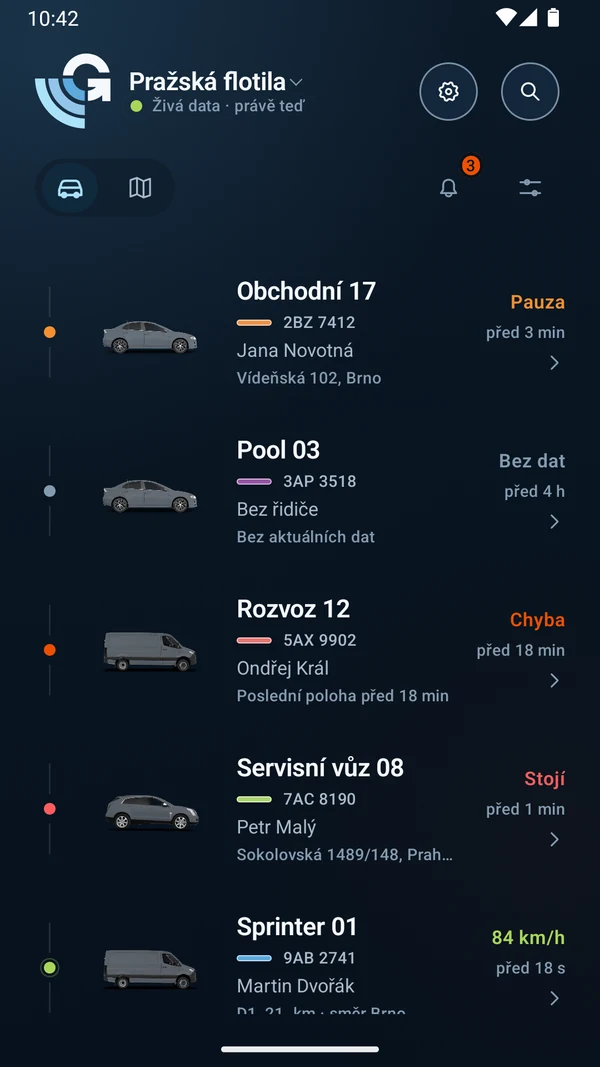
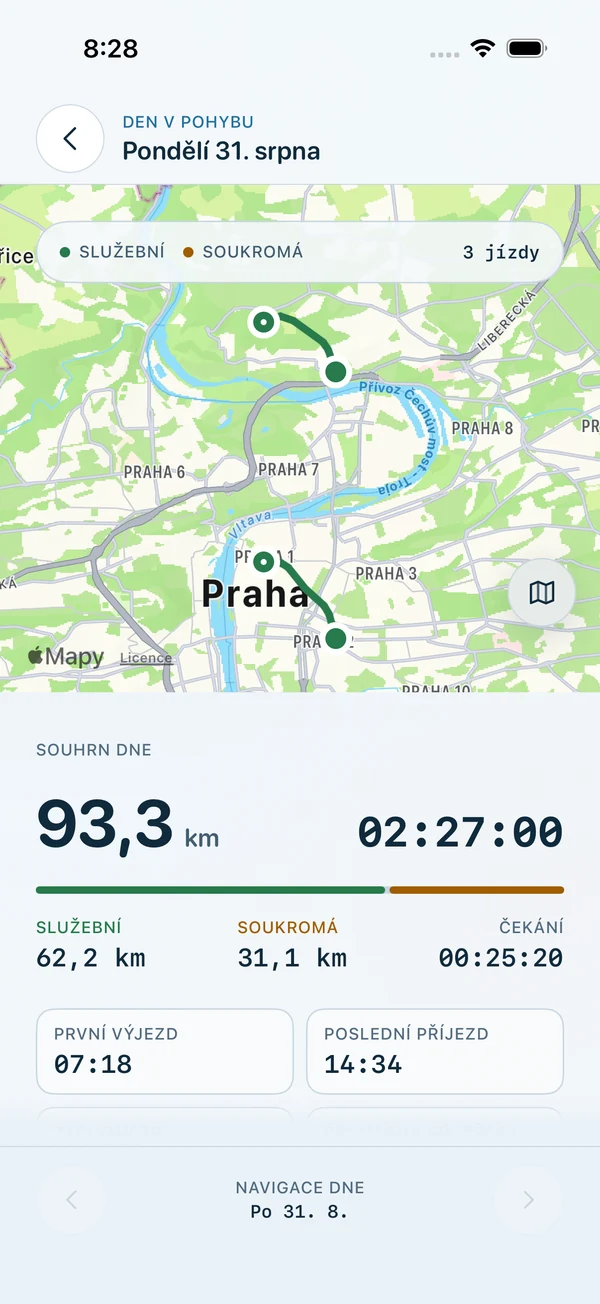
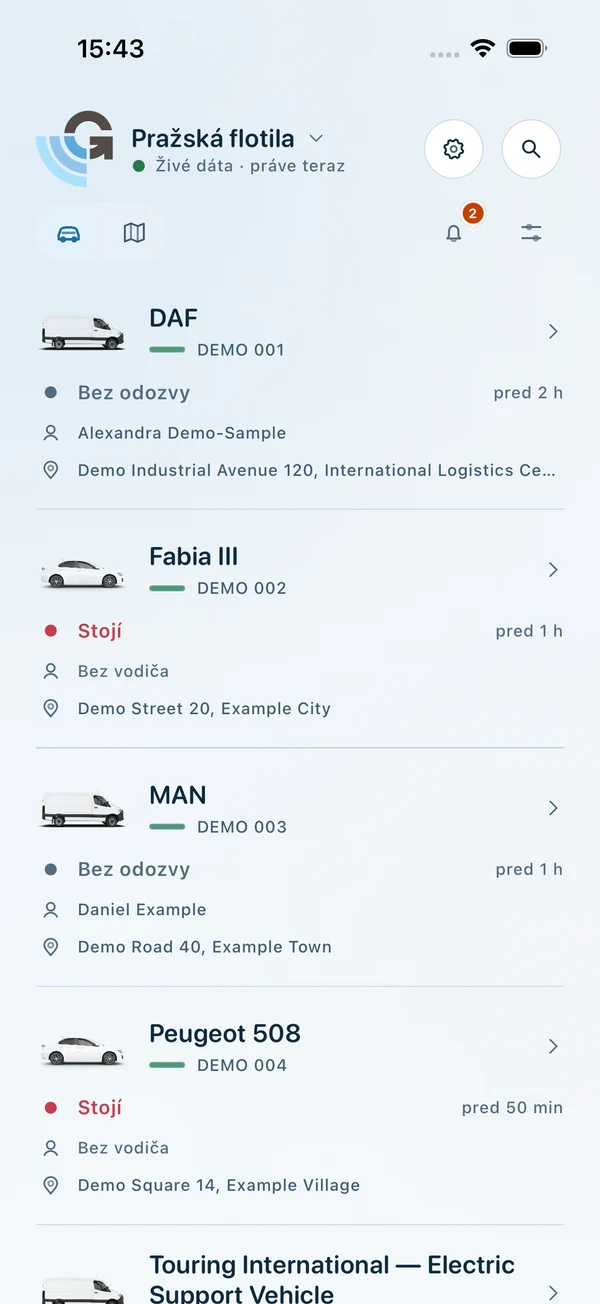
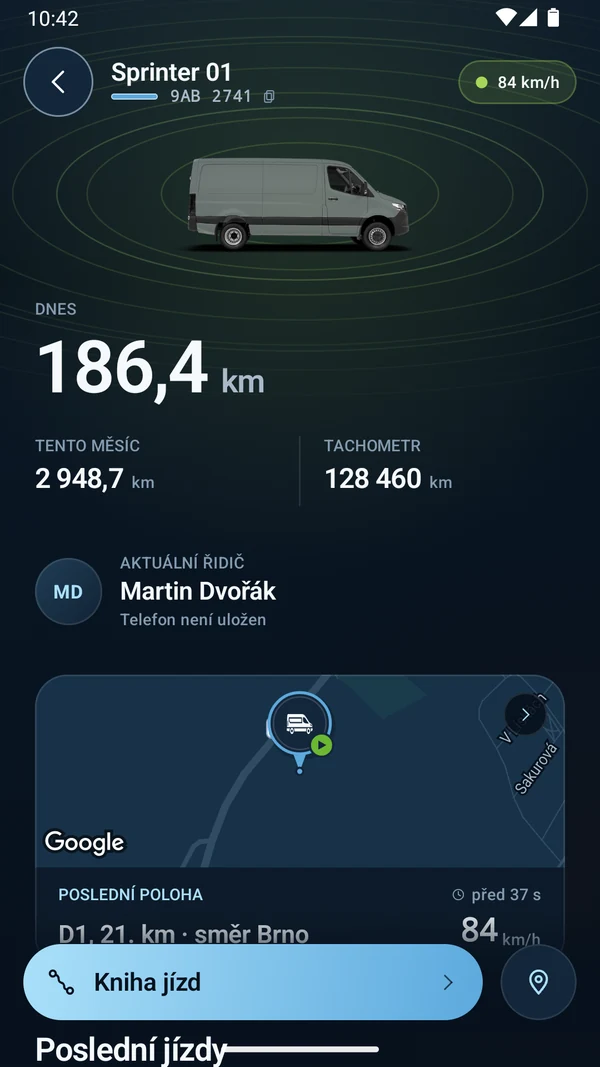
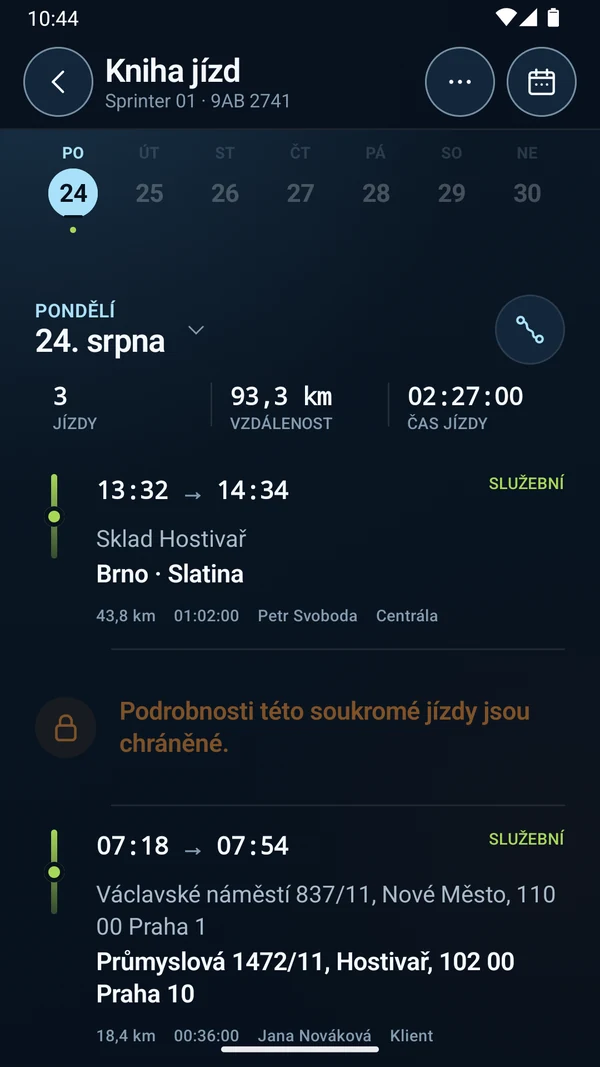
- Fleet, maps, vehicle details and trip log
- Refuelling and other operational records
- API integration and account permissions
01 /Context
GPS Dozor is a brand of TLV, s.r.o., a company I have worked with for years as an independent contractor, and its main vehicle tracking and fleet management product. Its new mobile generation, GPS Dozor 4.0, provides access to the fleet, locations, trip log and operational information directly from a phone.
I built the entire mobile app for both platforms independently as an external developer. A colleague developed the product’s backend.
02 /Problem
Fleet management combines two views: what is happening with vehicles right now, and what needs to be looked up or recorded about their operation. The mobile app therefore needs to connect the map and current status with trip history, refuelling and other records.
03 /My role and responsibilities
I handled all mobile development independently from start to finish: iOS in Swift and SwiftUI, Android in Kotlin and Jetpack Compose. I built every screen, navigation, data handling and API integration.
On the mobile side, my scope covered sign-in, the fleet overview, maps and vehicle details, the trip log, operational forms, alerts and settings. A colleague was responsible for the server side and backend API.
04 /Constraints and risks
- Available features depend on account permissions, vehicle groups and service capabilities. The interface also needs to respect these rules when recording operational data.
- iOS and Android have their own native implementations and controls, while following the same product behaviour.
05 /Key decisions
From the fleet to a specific vehicle
The vehicle overview and map lead to the selected vehicle’s details. The trip log and operational records follow from there, keeping the next steps in the context of the same vehicle.
Native interfaces on both platforms
SwiftUI on iOS and Jetpack Compose on Android combine shared features with each platform’s controls. This includes light and dark modes and support for larger text.
Try it without signing in
A separate demo mode shows a sample fleet without a customer account. It uses local sample data kept separate from an authenticated session.
06 /Architecture
The app has two native clients connected to a backend API. iOS uses Swift and SwiftUI; Android uses Kotlin and Jetpack Compose. Shared configuration keeps the app’s identity and version aligned across both platforms.
The mobile side handles sign-in, session storage, data loading and determining which actions are available in the interface. The backend and its API are a separate part of the product, developed by a colleague.
07 /UX
The starting point is a fleet overview with each vehicle’s current status. For a specific vehicle, the map, details, trip history and operational forms connect to one another. The app adapts to the system theme and text size.
08 /Technology
Swift, SwiftUI, Kotlin, Jetpack Compose, MapKit, Google Maps, API integration
09 /Outcome
GPS Dozor 4.0 brings the company’s main product to native apps for iOS and Android. Customers can view their vehicles and access operational records from a phone according to their account permissions.
The examples on this page come from demo mode and use sample data.
Gallery